


🚀 Source Code Management with Git, GitHub & Sourcetree: A Complete Practical Guide
In modern software development, writing code is only one part of the process. Managing that code efficiently, collaborating with teams, tracking changes, and maintaining version history are equally important. This is where Source Code Management (SCM) tools like Git, GitHub, and Sourcetree play a crucial role.
The course “Source Code Management by Git, GitHub and Sourcetree” is designed to help learners move from basic understanding to real-world implementation of version control systems.
🧠 What is Source Code Management?
Source Code Management (SCM) refers to the process of tracking, managing, and controlling changes in source code over time.
Instead of manually saving multiple versions of files, SCM allows developers to:
- Track changes automatically
- Collaborate with teams efficiently
- Restore previous versions
- Manage multiple development workflows
Git has become the industry standard version control system, widely used in both startups and enterprise environments.
🔧 Understanding Git: The Core of Version Control
Git is a distributed version control system that allows developers to manage their code locally while syncing with remote repositories.
🔹 Key Concepts in Git:
- Repository (Repo) – Storage for your project
- Commit – Snapshot of changes
- Branch – Parallel version of development
- Merge – Combining changes
- Clone – Copying a repository
- Pull & Push – Syncing code with remote servers
Git enables developers to work independently and merge their work seamlessly.
🌐 GitHub: Collaboration and Cloud Integration
While Git manages code locally, GitHub provides a cloud-based platform for collaboration.
🔹 Key Features of GitHub:
- Remote repositories
- Team collaboration
- Pull requests and code reviews
- Issue tracking
- Project management tools
GitHub transforms Git into a collaborative development ecosystem, making it easier to work on projects with teams across the world.
🖥️ Sourcetree: Simplifying Git with Visual Interface
For beginners, Git commands can sometimes feel complex. Sourcetree solves this by providing a graphical interface.
🔹 Benefits of Sourcetree:
- Visual representation of branches
- Easy commit, push, and pull operations
- Simplified merge conflict handling
- No need to memorize Git commands
👉 It bridges the gap between command-line complexity and user-friendly experience
⚙️ From Basics to Real-World Workflow
The course focuses on practical, real-world workflows, not just theory.
🔹 What You Will Learn:
- Setting up Git and repositories
- Working with local and remote repositories
- Branching strategies used in real projects
- Managing team collaboration
- Resolving merge conflicts
- Using GitHub for project management
- Visual workflow using Sourcetree
👉 This ensures learners understand how Git is used in actual development environments
🔄 Real-World Development Workflow
Modern development teams follow structured workflows using Git:
🔹 Typical Workflow:
- Create a branch for a feature
- Make changes and commit
- Push to GitHub
- Create a pull request
- Review and merge into main branch
This workflow ensures:
- Clean code history
- Safe collaboration
- Controlled releases
🧩 Why This Course Matters
This course is designed to bridge the gap between:
👉 Learning Git commands
👉 Applying Git in real-world projects
According to the course structure, learners gain:
- Practical understanding of Git workflows
- Hands-on experience with GitHub collaboration
- Visual learning using Sourcetree
- Industry-ready version control skills
👉 It transforms beginners into confident contributors in software teams
🎯 Who Should Learn This?
This course is ideal for:
- Beginners learning programming
- Developers working on team projects
- Students building portfolios
- Professionals transitioning into software development
No advanced experience is required—just basic familiarity with coding.
💡 Why Git Skills Are Essential Today
Version control is not optional anymore—it’s a core skill for every developer.
🚀 Benefits:
- Enables teamwork and collaboration
- Prevents code loss
- Improves productivity
- Supports continuous development
- Required in almost all tech jobs
🌟 Final Thoughts
Mastering Git, GitHub, and Sourcetree is one of the most important steps in becoming a professional developer.
The journey is simple:
👉 Write Code → Track Changes → Collaborate → Deploy
This course provides a complete roadmap to mastering that journey, helping learners move from basic understanding to real-world application.
Related Post
Welcome to OrbitOCP - Online Classroom Platform
🚀 Welcome to OrbitOCPEmpowering Skills for the Future of TechnologyIn a world where technology is evolving faster than ever, staying relevant requi
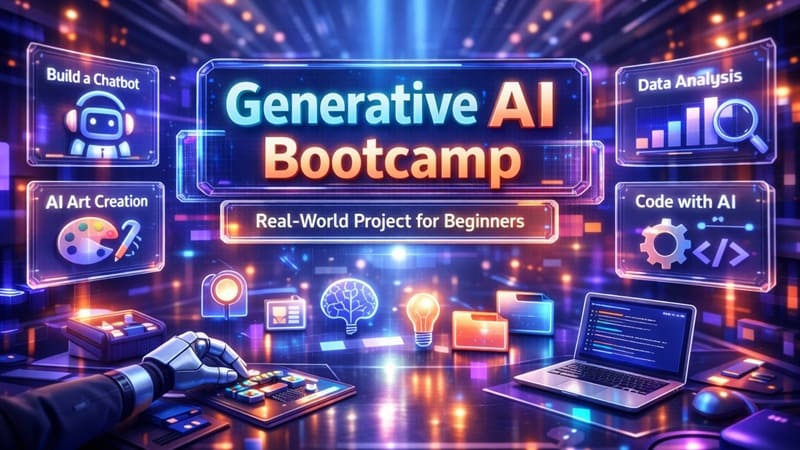
Generative AI Bootcamp: Real-World Project for Beginners
🚀 Generative AI Bootcamp: Build Real-World AI Projects from ScratchIn today’s rapidly evolving technological landscape, Generative AI (GenAI) is
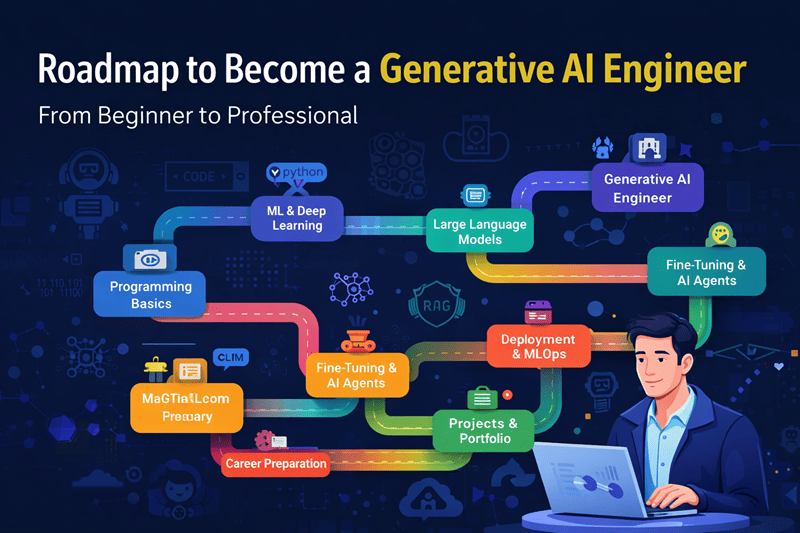
Roadmap to Become a Generative AI Engineer: From Beginner to Professional
🚀 Roadmap to Become a Generative AI Engineer: From Beginner to ProfessionalGenerative AI is one of the fastest-growing fields in technology, poweri

Generative AI: Concepts, How It Works & The Future of Intelligent Creation
🚀 Generative AI: Concepts, How It Works & The Future of Intelligent CreationGenerative AI is one of the most transformative technologies of our tim

Generative AI in Practice: Models, Tools, and Real-World Applications
🚀 Generative AI in Practice: Models, Tools, and Real-World ApplicationsGenerative AI is no longer just a theoretical concept—it is actively trans